EES FILE COMPATIBILITY
Your EES models.
Room to work together.
Bring your EES models into an engineering equation editor for analysis, collaboration, and sharing. Start with the work you already have, then check what carries over and what needs attention.
THE MODEL YOU ALREADY KNOW
Inputs, properties, and engineering intent.
 Engineering Genius
Study it. Review it together.
Share it as a calculation app.
A workflow overview. Compatibility depends on the functions, files, and properties your model uses.
01 / PRESERVE THE ENGINEERING
Build on the work already in your model.
Import supported EES projects, text libraries, and lookup tables as a starting point for further engineering work. Review the imported assumptions and results before extending the model.
Equations & routines
Equations in any order, arrays, functions, procedures, modules, and unit annotations.
Inputs & analysis
Variable settings, guesses and bounds, parametric and lookup tables, and stored Min/Max settings.
Diagrams & outputs
Diagram drawings, supported input controls, plots, and results that can be reviewed in the browser.
A new way to work with the model.
Use live sessions to work through it with your team. Keep changes in project history. Publish a calculation app so others can use the model through its inputs and results.
See the review and sharing workflow02 / KNOW WHAT NEEDS ATTENTION
Compatibility you can evaluate.
Opening a file is the beginning of the review. The property sources, correlations, and external dependencies determine what needs to change.
| Your model uses | What to review |
|---|---|
| Fluid properties & reference states | Check the fluid and functions used by the model. REFPROP calls and some EES fluids or transport properties are not supported. |
| Heat-transfer & flow correlations | Many routines use the same call signatures. Some use different published correlations and can produce different results. Compact-exchanger and regenerator datasets are not included. |
| Windows libraries & automation | External DLLs, local Python programs, Word/MATLAB automation, and serial-port operations need another approach in a browser workflow. |
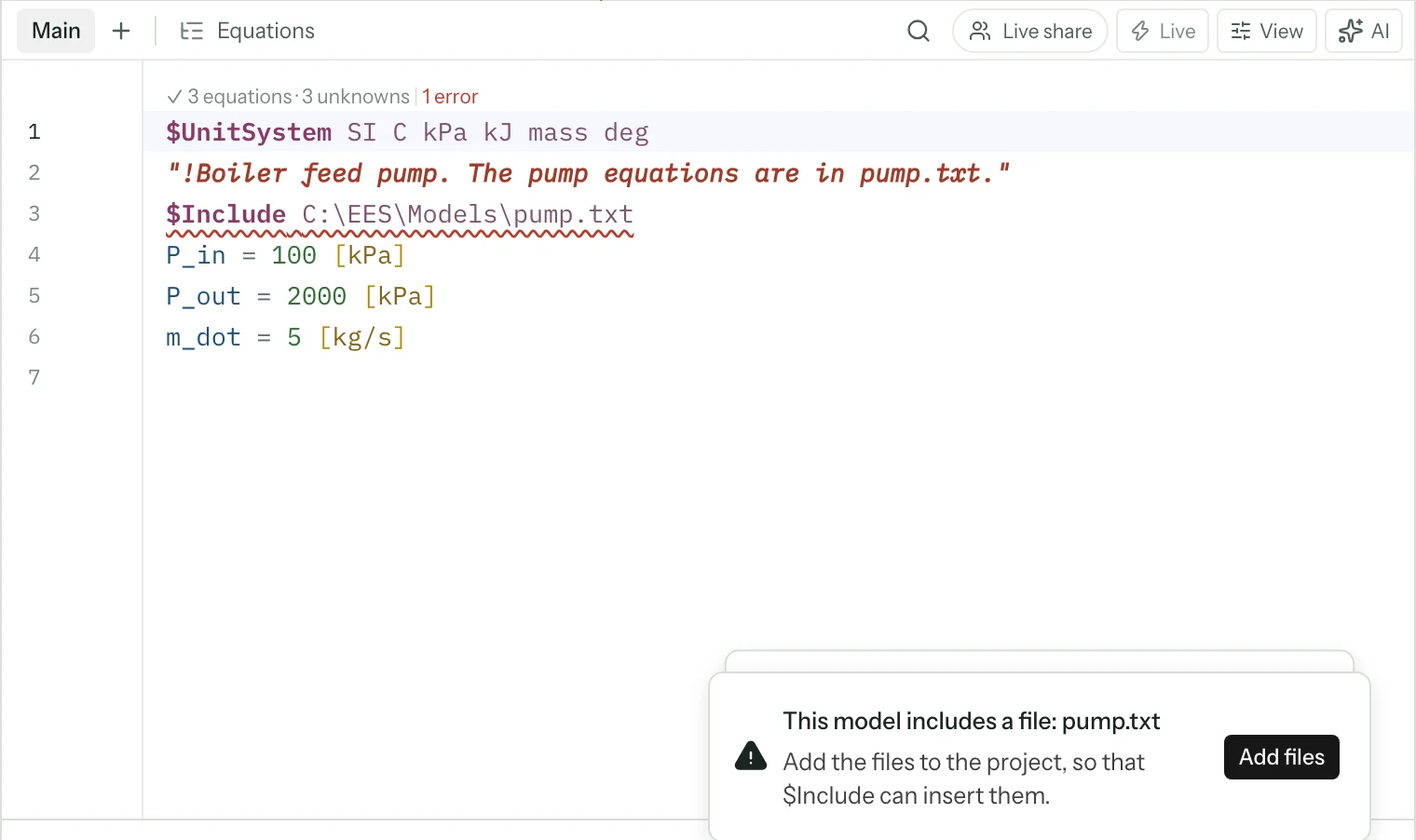
| Included files | Add required equation text and libraries to the project. Some binary settings and included file formats are not supported. |
| Returning a model to EES | Export equations as EES text. Engineering Genius does not write a binary .EES project; keep your original file. Extensions such as $Assert need adjustment for EES. |
03 / MAKE THE MOVE
Start with a case you trust.
- Keep the baseline.
Save the original project and its inputs, unit system, reference states, and expected outputs.
- Import and inspect.
Choose Import a file or drop the file into the workspace. Read the warnings, add dependencies, and review functions, guesses, bounds, and Diagram inputs.
- Compare and extend.
Solve the same case, investigate differences, and check representative operating points before you build on it.
PROPERTY & CORRELATION SOURCES
Check the engineering basis.
The Engineering Genius library contains implementations of published engineering correlations. The routine documentation identifies the references used. Some correlations and property methods differ, so matching inputs do not guarantee identical results.
CoolProp supplies the main real-fluid properties. Review the method, valid range, and reference state used by your model.
Based on the Engineering Genius compatibility documentation and EQS booklet, reviewed November 8, 2026. EES and Engineering Equation Solver are trademarks of F-Chart Software. Engineering Genius is an independent product and is not affiliated with or endorsed by F-Chart Software.
FROM A QUESTION TO A WORKING MODEL
Continue the work in your model.
Describe the problem, review the model, and explore the alternatives.