
Work through it together.
Live sessions and comments keep the conversation close to the calculation.
MODEL. SOLVE. EXPLORE.
Work with engineering equations in an editor built for them. Intelligent autocomplete, unit-aware feedback, live results, AI assistance, and design studies stay connected to your model.
From equipment sizing to whole-system studies. In your browser.
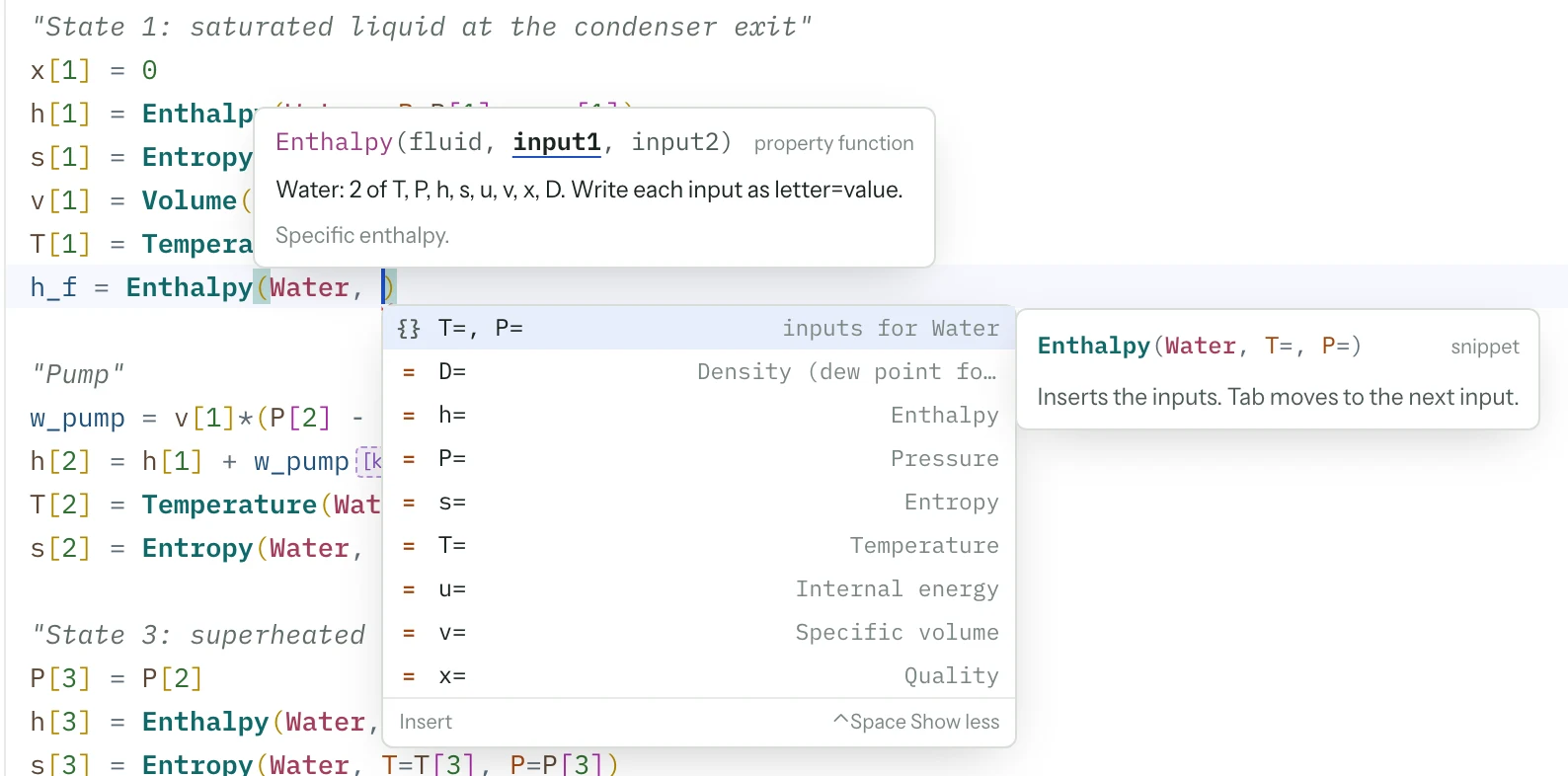
Your model.Write equations or build with AI
Connected tools.Autocomplete, units, and numerical feedback
Your judgment.Inspect assumptions. Challenge the result.
ENGINEERING TOOLS, WORKING TOGETHER
Write, navigate, and refine engineering equations with the tools of a modern editor. Numerical results and design studies stay connected as the model evolves.
01 / WORK IN THE MODEL
02 / EXPLORE THE CONSEQUENCES
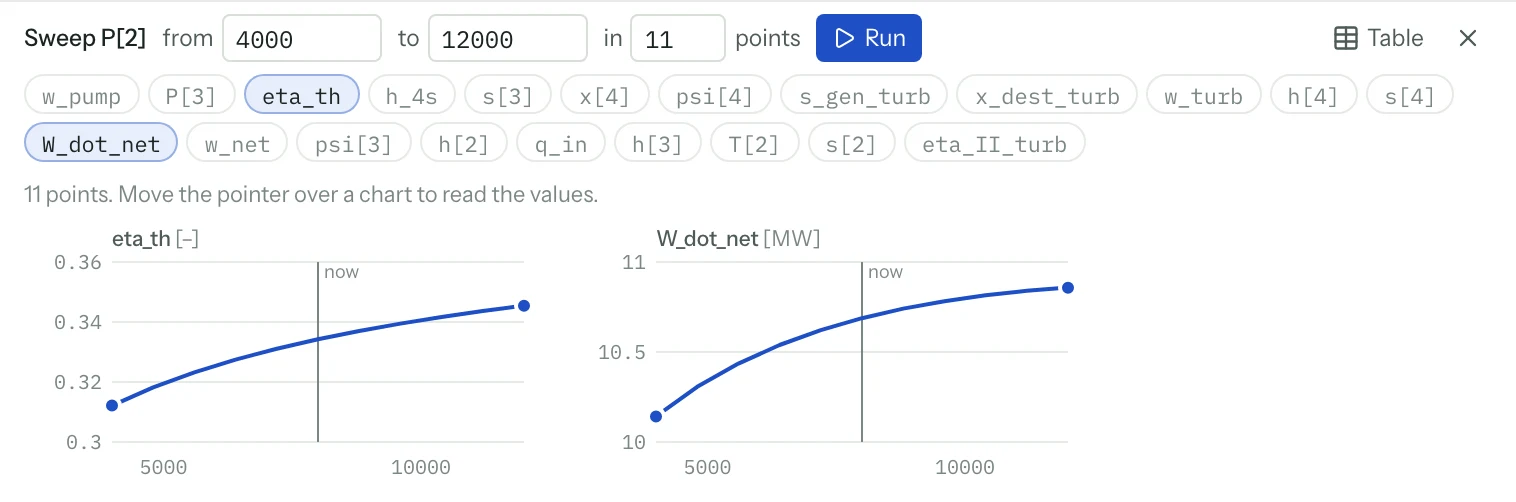
Coupled nonlinear equations, transient models with integrals and differential equations, and complex-valued calculations sit alongside property evaluation and unit checks. Bounded optimization and uncertainty analysis help turn a solved case into a design decision.
Engineering autocomplete and model analysis work without AI. AI suggestions require a configured model. Live solve supports models of up to 400 equations.
Explore the engineering editorONE MODEL. ROOM TO EXPLORE.
Develop the equations yourself or describe a problem to the agent. Properties, numerical results, studies, and diagrams stay in one project, with the model open for inspection and editing.
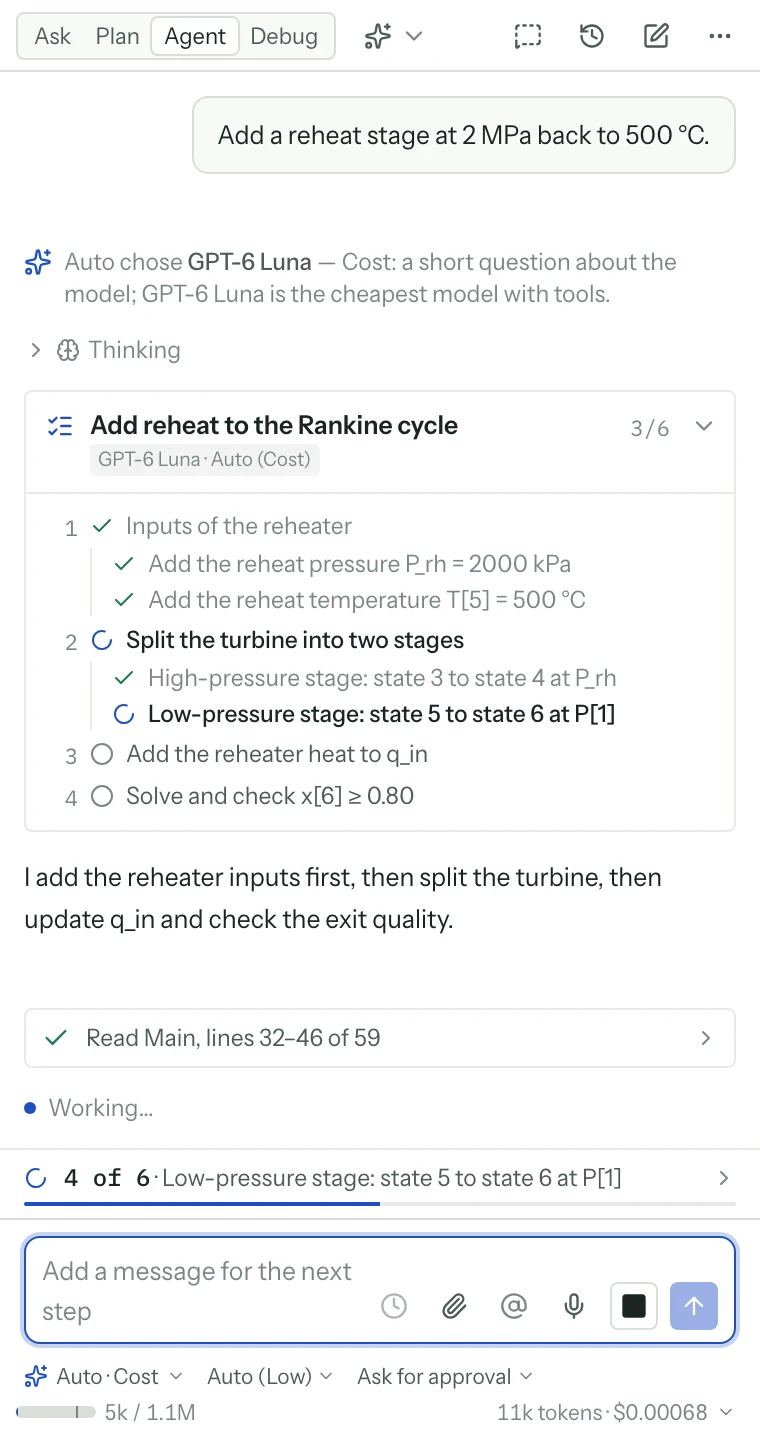
01 / DESCRIBE & SOLVE
Describe the situation and the result you need. The agent develops the model, writes its equations, and runs the solver. The working calculation stays open for inspection and refinement.
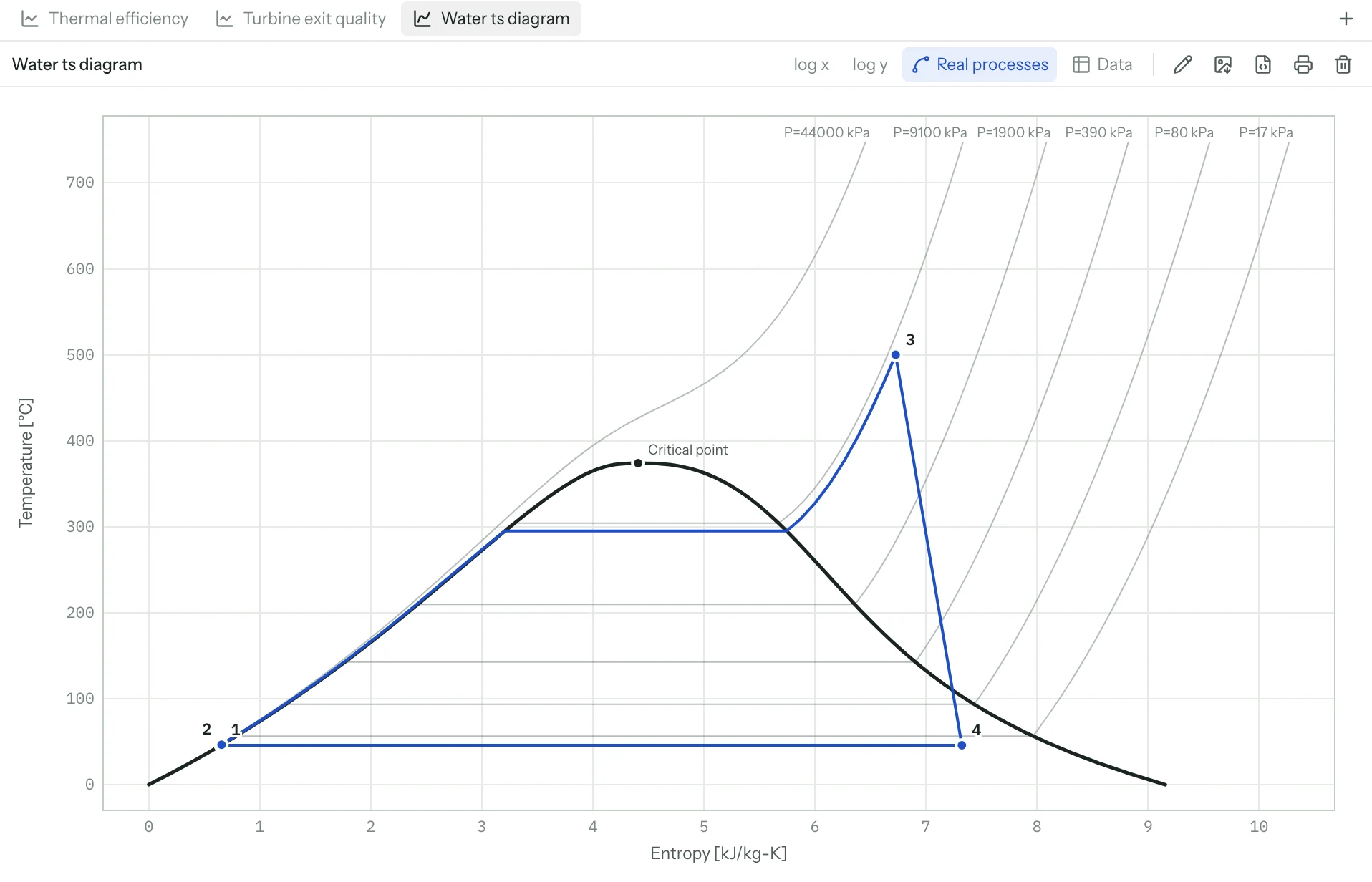
02 / STUDY & UNDERSTAND
Explore the tradeoffs. Run parametric studies, plot process paths, optimize a design, and understand how uncertainty affects your results.
03 / BUILD & SHARE
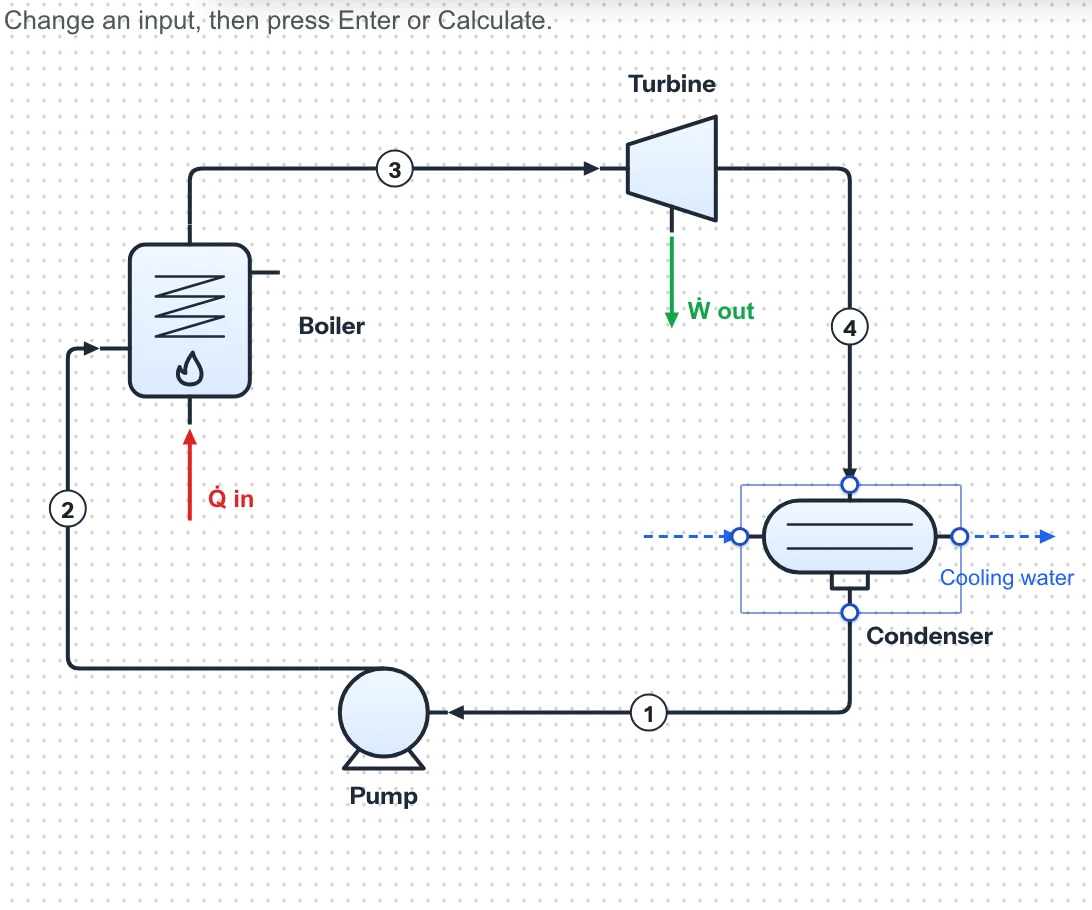
Draw your process with connected equipment symbols. Add inputs and outputs, then publish a calculation app that others can use.
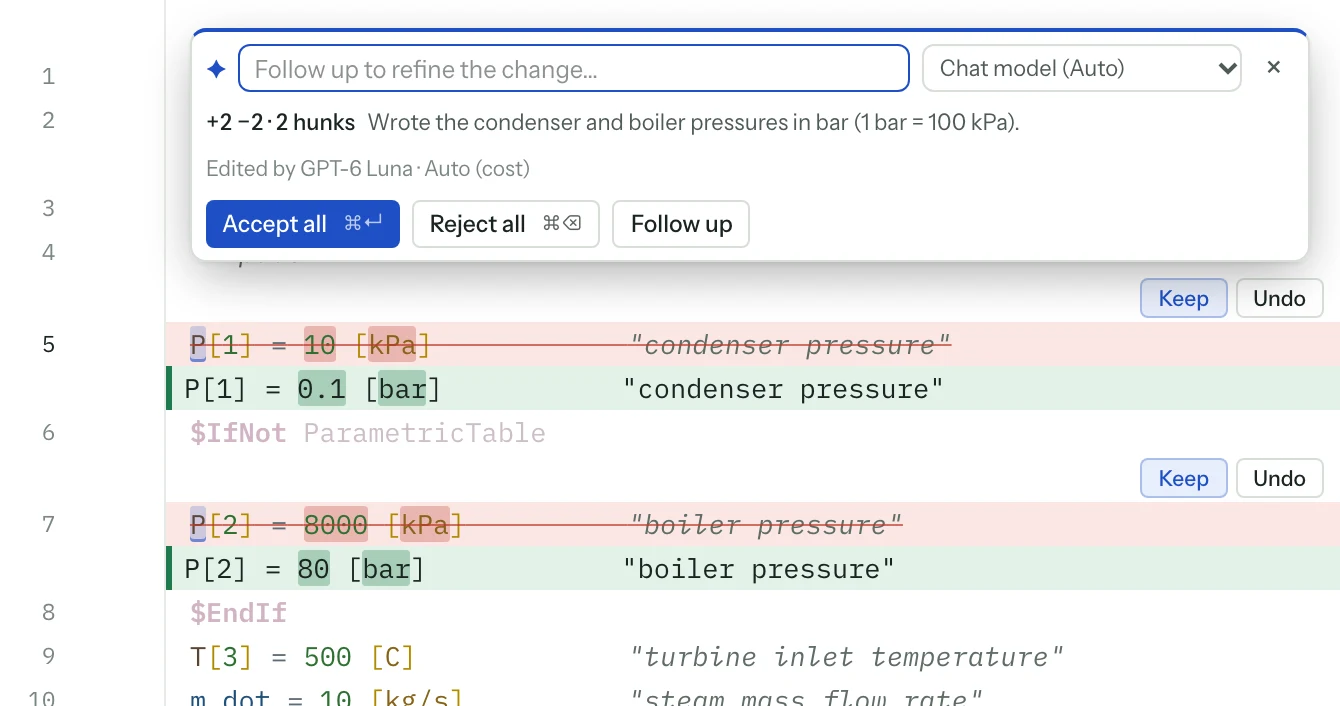
AI REASONING. A MODEL YOU CAN EXAMINE.
The agent works through the problem using model-building and solve tools. Its tools return solve status, residuals, and changes in results to the agent. Read the equations and property calls behind the answer. Question an assumption, ask for a different approach, and solve again to see what changes.
EXPLORE A SMALL PART OF THE WORKFLOW
These fixed examples illustrate how a model responds to changing inputs. The full workspace builds and solves your own problems; this preview does not run the AI agent.
"Steady-flow heater · constant specific heat"Q_dot = m_dot*c_p*(T_out - T_in)m_dot = 0.5 [kg/s]c_p = 4.18 [kJ/kg-K]T_in = 20 [C]Q_dot = 50 [kW]T_out = 43.92 °CSteady flow · 0.5 kg/s · inlet at 20 °C
Illustrative calculations with fixed assumptions. The full workspace solves your own systems of equations.
Build your first modelSTART WITH THE QUESTION YOU HAVE.
Work on a single component or connect a whole system. Ask for sizing, operating limits, sensitivity, or a comparison between design options.
Compare compressor models, cycle configurations, and operating conditions. Follow the properties through to power and efficiency.
Explore thermodynamicsTHERMAL & FLUID SYSTEMSSize a heat exchanger, evaluate a cooling problem, or study pressure losses. Compare the tradeoffs and the assumptions behind them.
Explore thermal designCONNECTED ENGINEERING STUDIESSweep inputs, compare constraints, and connect technical performance to operating-cost calculations in the same model.
Build a design studyMAKE THE REASONING SHAREABLE.
Live sessions and comments keep the conversation close to the calculation.
Use branches and project history to follow what changed and why.
BEFORE YOUR FIRST MODEL.
Engineering Genius is an engineering equation editor with intelligent autocomplete, unit-aware diagnostics, numerical solving, and integrated AI assistance. Write and refine models, inspect live results, run studies, and create plots and diagrams in one project. You can also describe a problem and ask the agent to build the model. It was previously called EQS.
Review the assumptions, equations, units, property methods, and solver results. Ask the agent to explain a step, compare a different assumption, or rerun a known case. A converged calculation does not by itself establish that the model represents your system correctly.
CoolProp is the main real-fluid property source, alongside NASA ideal-gas data and a dedicated psychrometric model. Property coverage and valid ranges depend on the fluid and method. The function help identifies sources for engineering correlations.
About the CoolProp property libraryImport supported EES models and Mathcad worksheets, convert supported Excel formulas into equations, or load spreadsheet data into tables. Each conversion has limits. Review skipped expressions, units, and reference results before extending the model.
Review import and conversion optionsDescribe your problem in a language supported by your selected AI model. Include values with units and explain specialized terminology. Review the resulting model to check that it reflects your intended meaning.
Use the workspace address supplied by your administrator. AI availability depends on the workspace configuration, and a new account may need approval. You can also write and solve models directly. The walkthrough and illustrative calculations on this site need no account.
YOUR NEXT “WHAT IF?” STARTS HERE.
Start from equations, an existing calculation, or an engineering brief. Follow the guide to build, solve, and refine your first model.